Agenda Duo app icon

Agenda Duo: Work-Life Planner

Your work and your life, side by side. A calendar, to-do list and widgets for iPhone and Apple Watch.

Coming soon to the App Store

Agenda Duo is being tested now. Check back here soon.

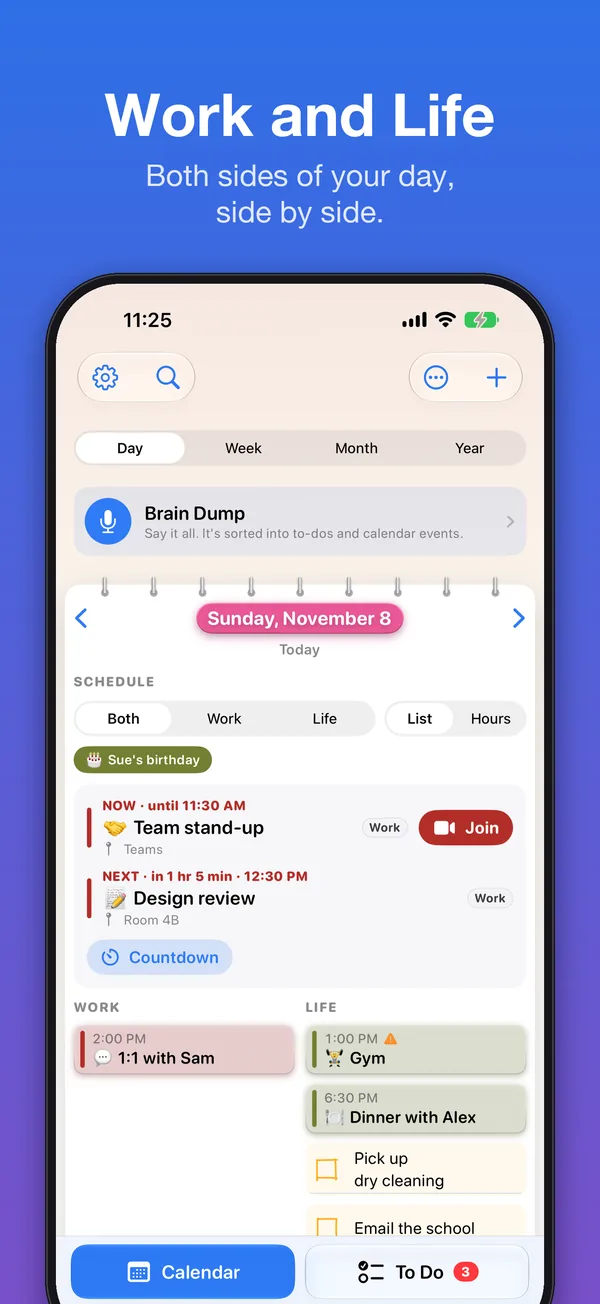
See your whole day at a glance

Agenda Duo puts your work and your life side by side, so you can see your whole day at a glance and keep both in balance.

It works with the calendars and reminders you already have: iCloud, Google and Outlook calendars, and Apple’s Reminders. Nothing new to sign up for, and your information stays on your iPhone.

Brain Dump

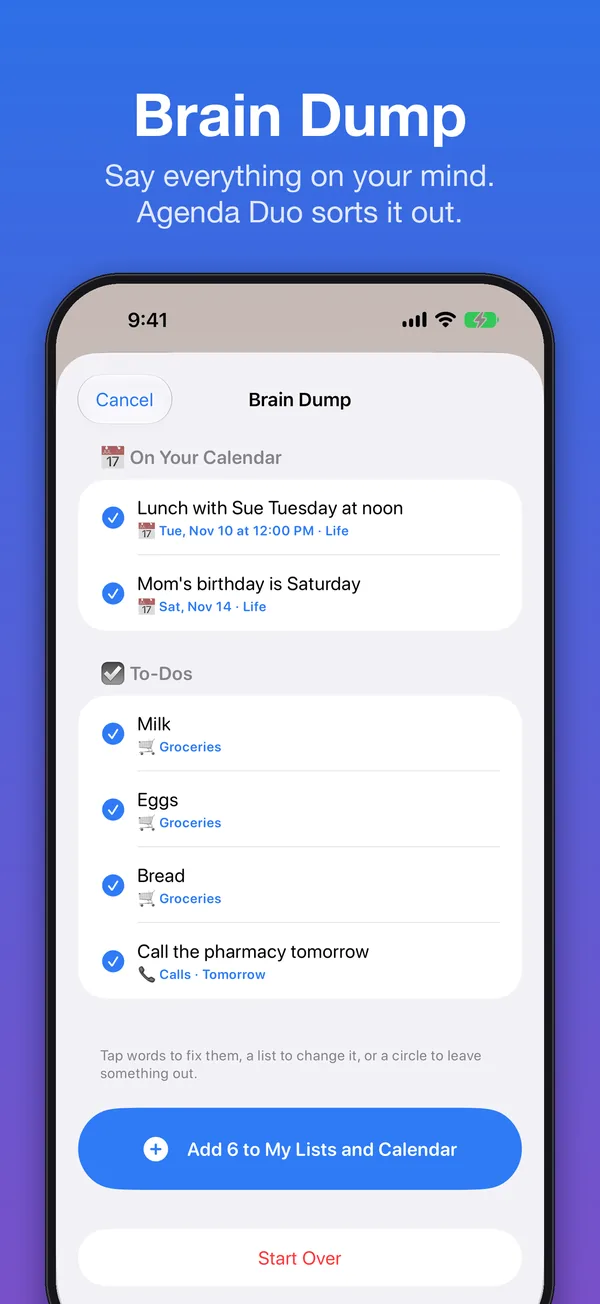
Tap and talk. Say everything on your mind: “Lunch with Sue Tuesday at noon, add milk and bread to groceries, call the pharmacy tomorrow.”

Agenda Duo sorts it into calendar events and to-dos on the right lists, and shows you the list before anything is added.

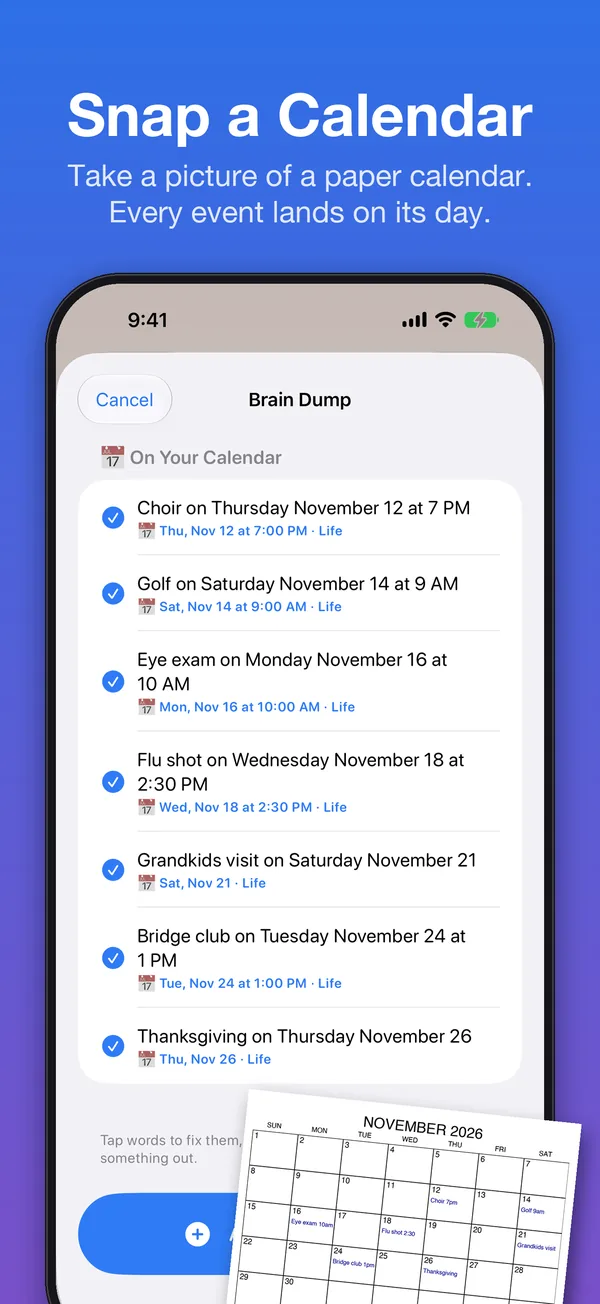
You can also scan a written list, read a flyer or invitation, or take a picture of a paper calendar and every event lands on its day.
How to use Brain Dump

Brain Dump screen: lunch with Sue and Mom’s birthday sorted onto the calendar, and milk, eggs, bread and a call to the pharmacy sorted into to-dos, with a button to add all six.
Snap a Calendar: a photo of a paper November calendar turned into seven events, such as choir, golf, an eye exam, a flu shot and Thanksgiving.

Work and Life, side by side

  • Day, Week, Month and Year views with Work and Life in their own colors
  • “Now” and “Next up” at the top of your day
  • Clash warnings when a work meeting runs into a family plan
  • Working hours: show only Life after work, if you like
  • A weekly balance check and a Sunday Reset to plan the week ahead

How to add your work calendar

Agenda Duo’s Day view: Now and Next up at the top, work meetings in a Work column and the gym, dinner and errands in a Life column.

To-do lists that make sense

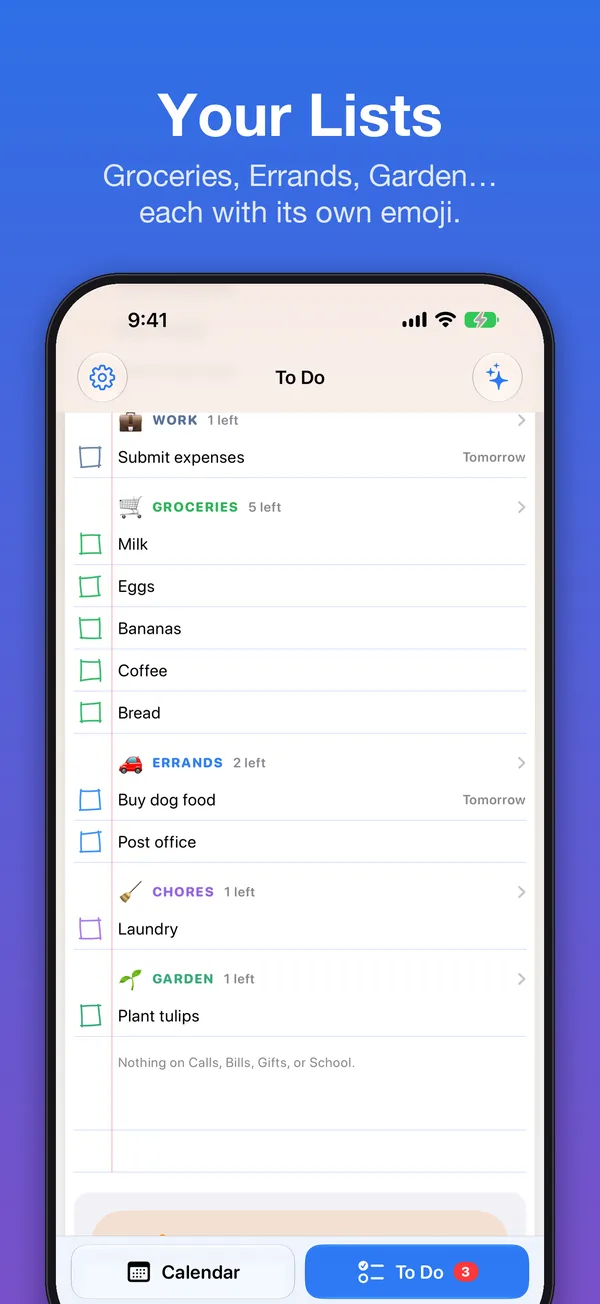
  • To Do, Groceries, Errands, Chores, Calls, Bills, Gifts and lists of your own, each with its own emoji
  • Share a list with family through Reminders, so you can both add and tick things off
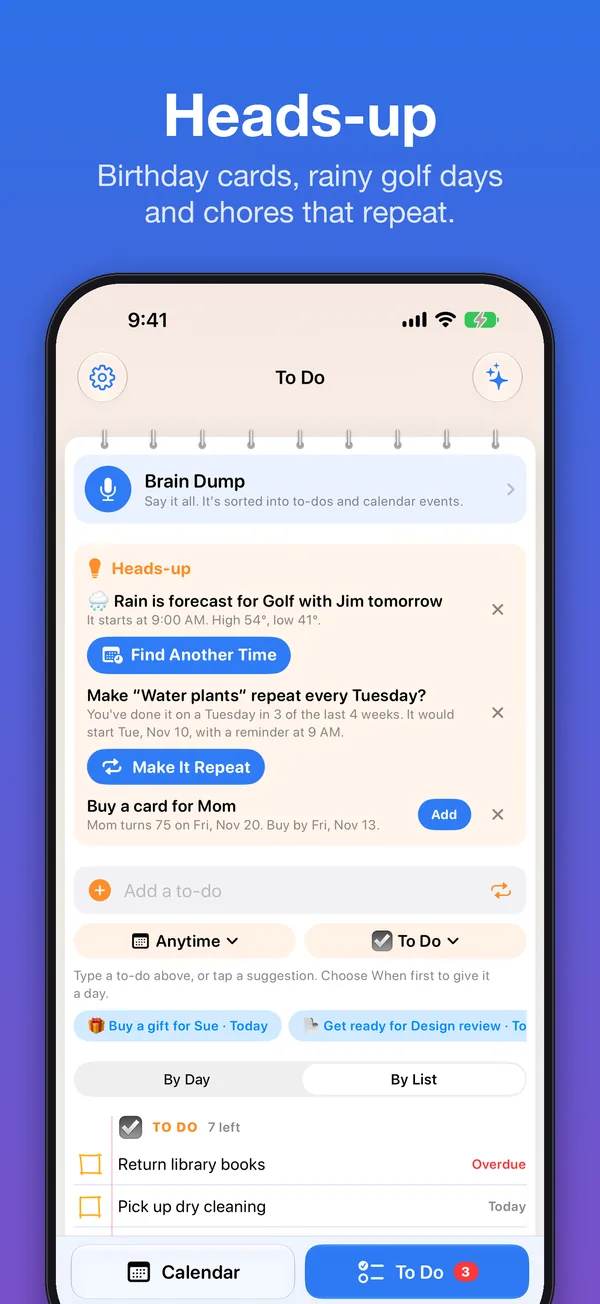
  • Heads-up ideas: “Pack for Flight to Lisbon” before a trip
  • Check Off All, and Put Back if you change your mind

How to share a list with family

To Do screen with lists for work, groceries, errands, chores and the garden, each with its own emoji.
Heads-up ideas: rain is forecast for golf tomorrow, a suggestion to make watering the plants repeat, and a reminder to buy a birthday card for Mom.

Smart help

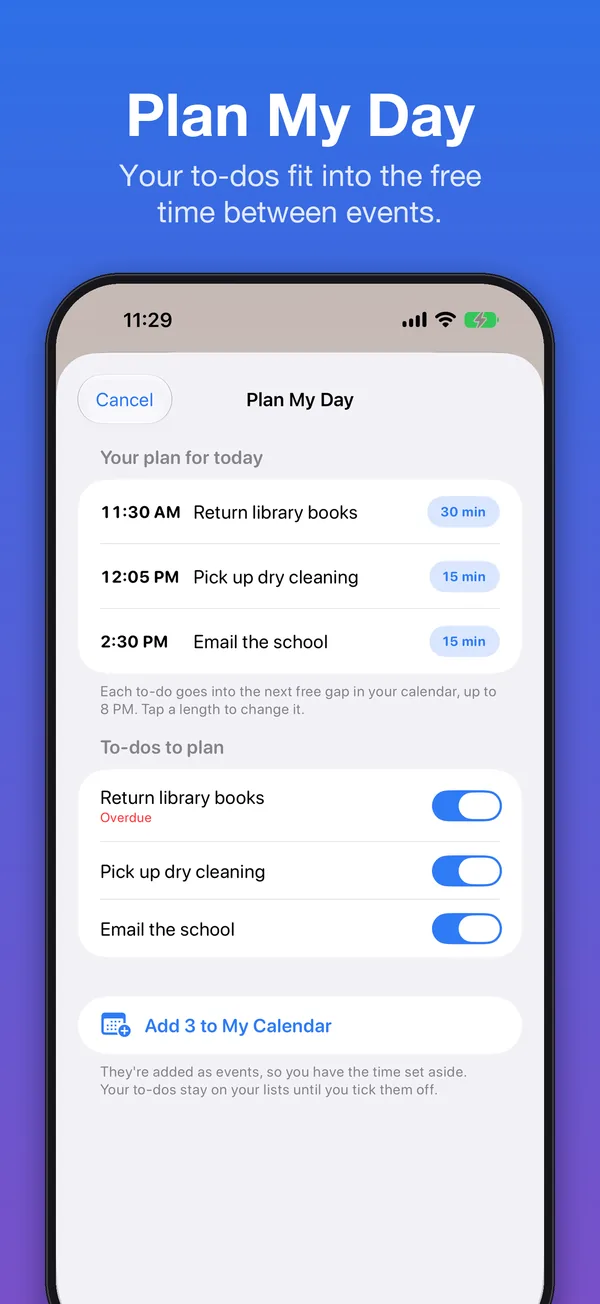
  • Plan My Day fits your to-dos into the free time between events
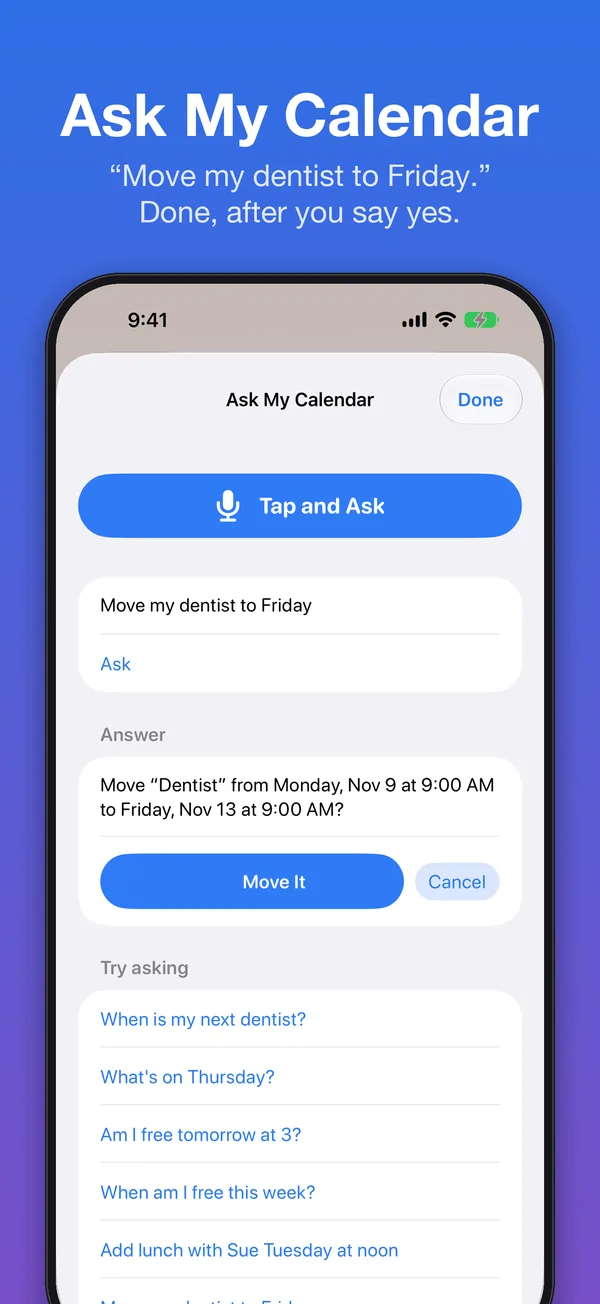
  • Ask My Calendar: “When is my next dentist?” “Am I free Thursday at 3?”
  • Fix a Clash finds a free time to move an event to
  • A morning summary and a “tomorrow at a glance” note in the evening

How to use Ask My Calendar

Ask My Calendar: asked to move the dentist to Friday, it asks first, with Move It and Cancel buttons, and lists questions to try.
Plan My Day: returning library books, picking up dry cleaning and emailing the school fitted into free times between events.

Widgets

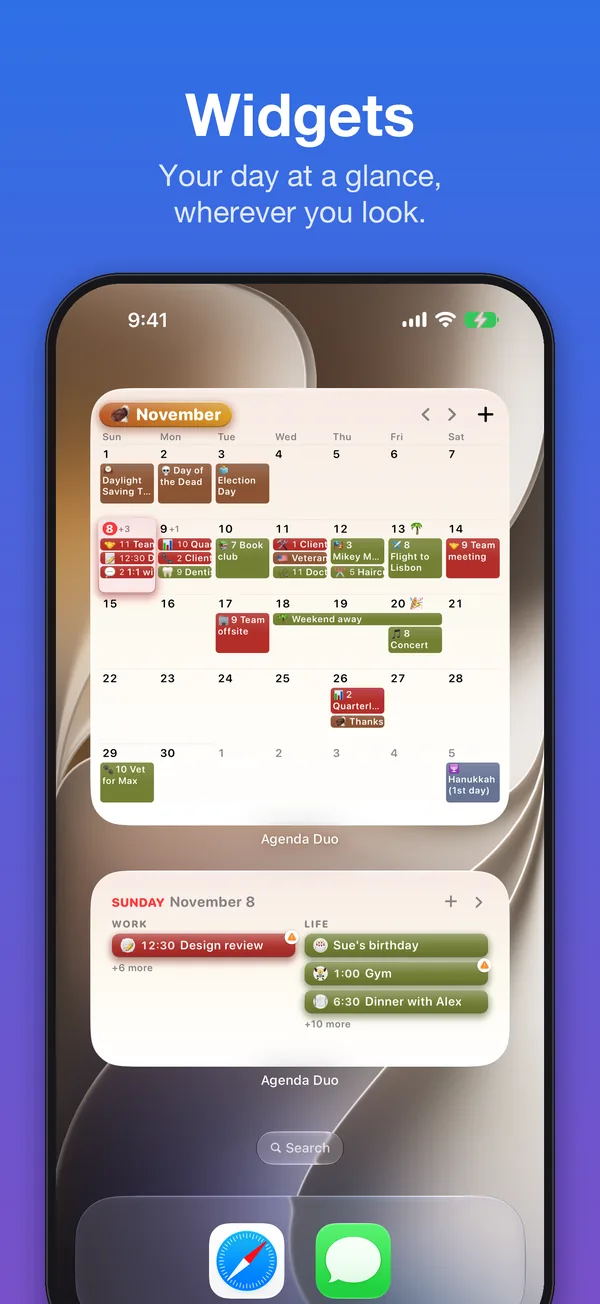
Calendar, Month, To Do, Countdown and Lock Screen widgets, in four free themes.

How to add a widget

An iPhone Home Screen with a large Agenda Duo month widget and a day widget showing work and life events.

Agenda Duo Plus

One purchase, no subscription, shared with your family:

  • Unlimited photo and screenshot reading
  • All 16 themes, and Surprise Me
  • Photo Calendar and Note widgets, and your own photo behind a countdown
  • Family colors for each person
  • Meeting notes: record, write it out, summarize
  • Plan My Week, repeating chores and bills, and Make It Repeat
  • Smart helpers: a check-in after appointments, birthday card reminders, and asking your calendar to add or move events
  • Drawings on notes, printing, weather, leave-now alerts and a world clock
  • Apple Watch faces

Private by design

No accounts, no ads, no tracking. Your calendars, to-dos and notes stay on your devices. Brain Dump sorts what you say on your iPhone.

Read the privacy policy